
How to connect Heartland to PrepFlow
- Get the API key for your location from Heartland.
- On the PrepFlow setup page, add Heartland as your POS and paste the key. PrepFlow registers itself for Heartland's ticket updates; there is nothing to install on your terminals.
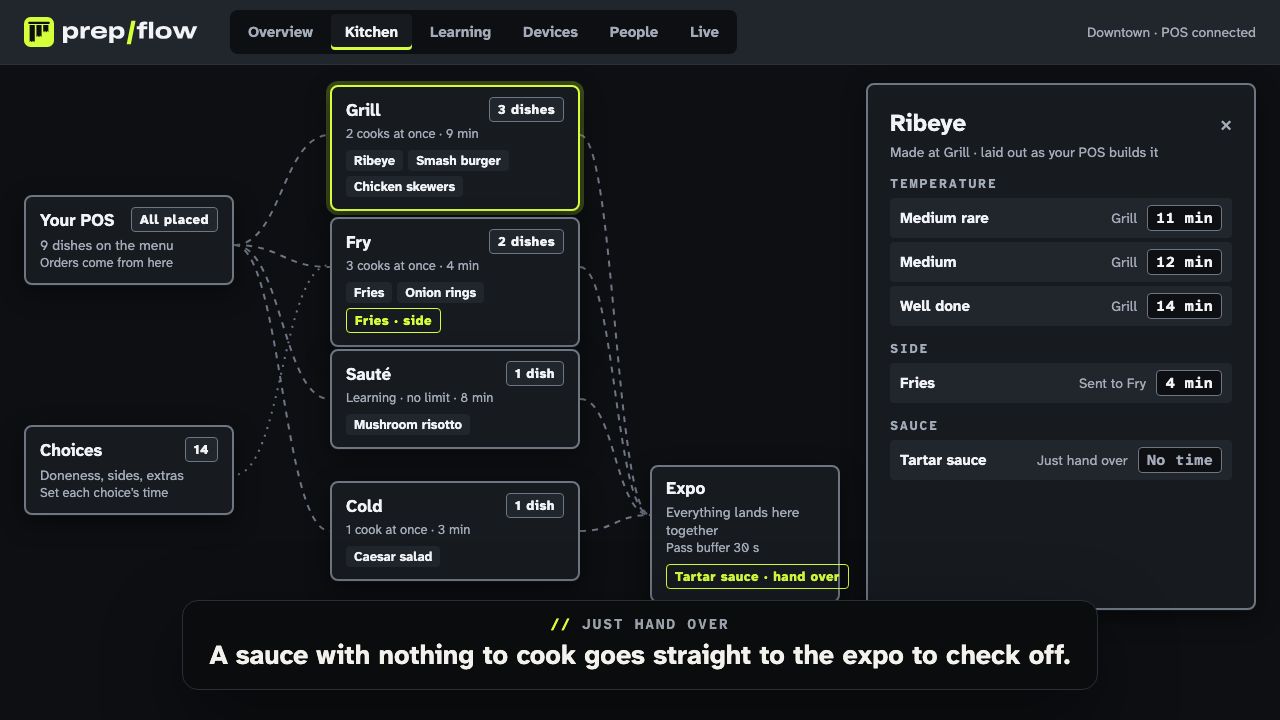
- Load your menu. Every dish, modifier group and size appears on the kitchen canvas; drop each dish on the station that cooks it and give it a starting time.
- Choose when a ticket should be paced: as soon as items are rung in (table service), or once it is paid (counter service).
- Enroll your station and expo screens with a code, on any iPad, Android tablet or browser, and ring in a test order.
What comes through from Heartland
PrepFlow listens for Heartland’s ticket updates, so a ticket appears on the kitchen screens seconds after it is rung in, and again each time it changes. Every ticket carries:
- Items and quantities, with seats and courses.
- Modifiers: added and removed ingredients, shown plainly on each line.
- Sizes, named from your Heartland menu (Cup, Bowl, Large), each with its own time if it cooks differently.
- The ticket number and guest name, so the expo calls the same number the front of house sees.
- Dining option, worked out from the table, room, delivery address or vehicle, since Heartland has no order-type field.
What PrepFlow adds on top
Heartland sends every item to the kitchen at once. PrepFlow turns that ticket into a plan: the 12-minute steak starts now, the fries start at minute 8 and the salad at minute 9, so all three are ready together. When a cook starts late or a server adds a side, the rest of the order moves with it. Prep times are learned from your cooks’ Start and Done taps, per dish and per size.
Pricing
PrepFlow has a $0 monthly subscription: you pay per order, and less per order as you grow, with unlimited screens. There is no extra charge for the Heartland connection.
Heartland is a trademark of its owner, and PrepFlow is not affiliated with it.
Questions
Does PrepFlow replace the Heartland kitchen printer?
It can, or it can work alongside it. PrepFlow shows paced tickets on its own screens and can also print them on Epson and Star kitchen printers, so each chit prints when its item should start rather than the moment the ticket is rung in.
Do Heartland sizes and modifiers come through?
Yes. Sizes such as Cup and Bowl, added ingredients (Extra cheese) and removed ones (No onion) show on every ticket, and a size can have its own cook time, so a bowl and a cup are timed and learned separately.
What happens when a server adds or voids an item?
Heartland sends the updated ticket within seconds. A voided item disappears from the screens, and an added item is paced as an add-on, so it still lands with the rest of the order where it can.
Which Heartland products does this work with?
Heartland Restaurant POS, through Heartland's restaurant API. If you run another Heartland or Global Payments product, ask us before you sign up.