
“Pacing” gets used for at least three different things in restaurant software. They are easy to mix up, and they fix different problems.
Order pacing: how fast orders enter the kitchen
Order pacing (sometimes called order throttling) limits how many orders the kitchen takes on at once, often for online and delivery orders. When the line is full, new orders are quoted a later time or held back.
It solves: a flooded kitchen. It does not solve: items on one order finishing at different times.
Item pacing: when each item starts
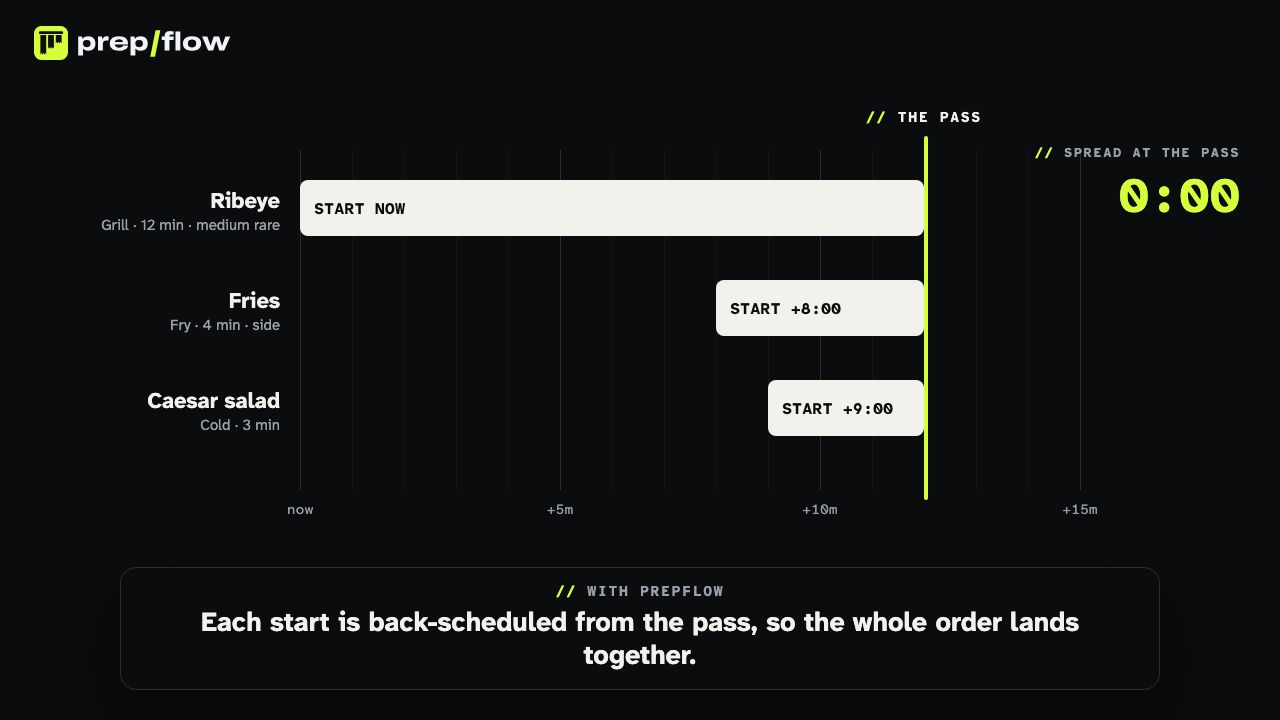
Item pacing, also called item timing, station pacing or food pacing, decides when each item on an order should start at its station, so every item finishes at the same moment.
Take a ribeye (12 minutes, grill), fries (4 minutes, fry) and a salad (3 minutes, cold). Fired together, the salad waits 9 minutes. Paced, the ribeye starts at once, the fries at minute 8 and the salad at minute 9, and all three are ready at minute 12.
There are two levels:
- Fixed delays. Each item appears after a set delay based on its prep time. Simple, but it does not react when the kitchen drifts.
- Live pacing. Each item gets a start time counted back from when the order is due, and the plan is redone when a cook starts late, an item is added or voided, or a station is full.
It solves: orders reaching the pass in pieces, cold sides and expos holding food.
Course pacing: when each course fires
Course pacing decides when the next course of a meal goes to the kitchen: when the expo bumps the last course, a set time after the order, or whichever is later. See course pacing explained.
It solves: mains arriving while guests are still on starters. Inside each course, items still need item pacing to land together.
How they fit together
| Controls | Problem it fixes | |
|---|---|---|
| Order pacing | When orders enter | A flooded line |
| Item pacing | When each item starts | Orders in pieces |
| Course pacing | When each course fires | Courses too close or too far apart |
PrepFlow does item pacing and course pacing: every item gets a start time at its station, re-planned live, and courses fire by bump, by time, or whichever is later. Read what kitchen pacing is.
Questions
Is item timing the same as item pacing?
Mostly. Item timing usually means a fixed delay per item, set from its prep time. Item pacing in the full sense also re-plans when a cook starts late, an item is added or a station is full.
Do I need course pacing if I run a quick-service kitchen?
Usually not: quick-service orders are one course. Item pacing still matters, because a burger and its fries cook for different times at different stations.